Privacy Policy — Productivities
Data Controller: Hably Software Ltd, a company registered in England and Wales under company number 17050988
Product: Productivities — comprising the desktop application, the iOS mobile companion app, the bundled command-line interface, and any optional self-hosted server you operate (together, "the App")
Effective Date: 1 June 2026
Last Updated: 22 September 2026
1. Introduction
Productivities ("the App", "we", "us") is a personal productivity application produced by Hably Software Ltd, a company registered in England and Wales (company number 17050988). This Privacy Policy describes what personal data the App processes, where it is stored, who it is shared with, and the rights you have over that data under the UK GDPR, the EU GDPR, and equivalent applicable laws.
The defining characteristic of Productivities is that it is a local-first application. Hably Software Ltd does not operate any cloud service that stores, processes, or backs up the content you create, and the App does not transmit your content to any Hably Software Ltd-controlled server. Your content and files live on your own devices and on any infrastructure you choose to host them on. We do not run analytics, telemetry, or uploaded crash reporting, and we do not have access to the content you create in the App.
The App does, however, connect to Hably Software Ltd-controlled servers to issue a paid licence after purchase and to download the text-to-speech database and hosted plugins. Licence issuance is a one-time process rather than a check performed on every launch. Resource downloads are one-way: the downloaded resources are stored and used locally, and no account data, user-created content, files, database contents, or text-to-speech input is uploaded as part of the request. As with any internet connection, the server necessarily receives limited technical connection information, such as the requesting IP address, the time and the resource requested, and standard HTTP request headers. See Sections 5.1 and 5.8 for full details.
If you use the Productivities mobile companion app, your phone communicates directly with the Productivities server running on your desktop (or on a self-hosted server you operate). No data passes through Hably Software Ltd in the process. By default the desktop server listens only on the loopback interface (127.0.0.1) and is not reachable from any other device. To allow your phone to connect, an administrator on the installation must explicitly enable network (LAN) access in the App's settings on a Pro-tier installation; until that happens, no device other than the desktop itself can reach the server. While LAN access is on, other devices on the same network can also reach the sign-in endpoint (authentication, rate-limiting, and tier and per-user permission checks all continue to apply), and the App reverts to loopback-only as soon as that setting is turned off and the App is restarted. If you wish to use the mobile app from outside your local network, that is handled by infrastructure you operate — for example, a reverse proxy, VPN, or secure tunnel — and the security of that transport (TLS termination, who can reach the tunnel, and so on) is your responsibility. The mobile app signs in to your server using your username and password, in the same way the desktop interface does, and the server then issues a session cookie that authenticates subsequent requests from that device. Mobile access additionally requires that mobile is enabled on a Pro-tier installation and that mobile access is permitted for your user account.
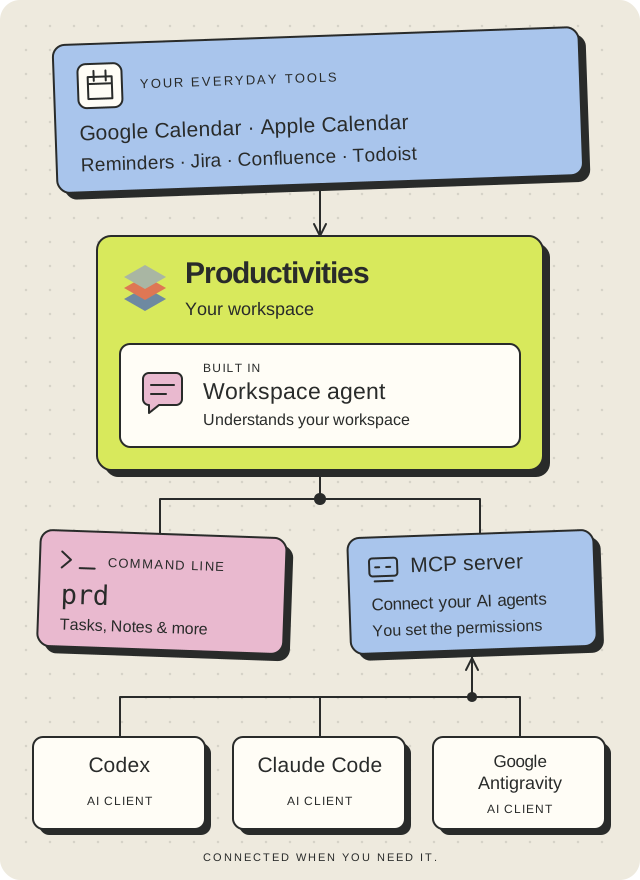
Aside from payment and one-time licence issuance, the resource-download connections described above, and the mobile sync just described, no data you enter into the App leaves your device or self-hosted installation unless you deliberately enable an integration with a third-party service or authorise an external client, such as the Web Clipper, command-line interface, or an MCP-compatible agent (see Section 5). This policy describes the data the App handles on your device, the limited Hably-hosted connections, the mobile-companion data flow, and the integrations and external clients you may choose to connect. Where another organisation operates a connected service or client, its own terms and privacy practices also apply to the data you direct the App to make available to it.
2. Summary at a Glance
| Topic |
Position |
| Cloud storage of your content by Hably Software Ltd |
None |
| Analytics, telemetry, or uploaded crash/error reports |
None — the App writes a local log file on your device that records crashes and errors, but it is not uploaded anywhere (see 3.4) |
| Tracking cookies |
None |
| Third-party advertising |
None |
| Selling of personal data |
Never |
| Payments |
Processed by Stripe for purchases made directly from Hably Software Ltd. Hably Software Ltd does not receive or store your full payment-card details |
| Paid licence issuance |
A Hably Software Ltd-controlled server issues the licence once after a successful purchase. The entitlement is then stored locally; the App does not contact the server for validation on every launch |
| Data stored locally on your device |
Yes — all content by default |
| Downloads from Hably Software Ltd-controlled servers |
Limited to the text-to-speech database and hosted plugins. Downloaded resources remain local; no App content, account data, or user-created files are uploaded |
| Technical data received during resource downloads |
Limited connection information needed to deliver and secure the download, such as IP address, time, requested resource, and standard HTTP request headers |
| Data sent to third parties |
Only when you explicitly enable an optional integration or authorise an external client, such as an MCP-compatible agent. Data is sent directly from your Productivities installation to the destination you choose |
| Google Calendar data |
The Productivities desktop app connects directly to Google's APIs when you enable the integration. No request or response passes through a server, proxy, relay, or synchronisation service operated by Hably Software Ltd. Events are not copied into a Productivities cloud service or stored as a local event mirror; limited credentials, preferences, short-lived calendar-list cache data, and user-created meeting-note links are handled as described in Section 5.3 |
| Encryption of sensitive credentials at rest |
AES-256-GCM |
| Password storage |
bcrypt (cost factor 10) |
| Two-factor authentication |
Not currently supported |
| Children under 13 |
Service is not directed at children |
3. Data the App Processes
3.1 Account Data (stored locally on your device)
When you create a user account in the App, the following is stored in the App's local SQLite database (or, in self-hosted multi-user deployments, in your PostgreSQL database):
- Username (chosen by you; need not be your real name and need not be an email address)
- Password, stored only as a one-way bcrypt hash (cost factor 10). The plaintext password is never written to disk
- Display name (optional)
- Role (user or administrator)
- Account creation and last-update timestamps
3.2 Content You Create
The App is designed to store the productivity content you author. Depending on the features you use, this may include:
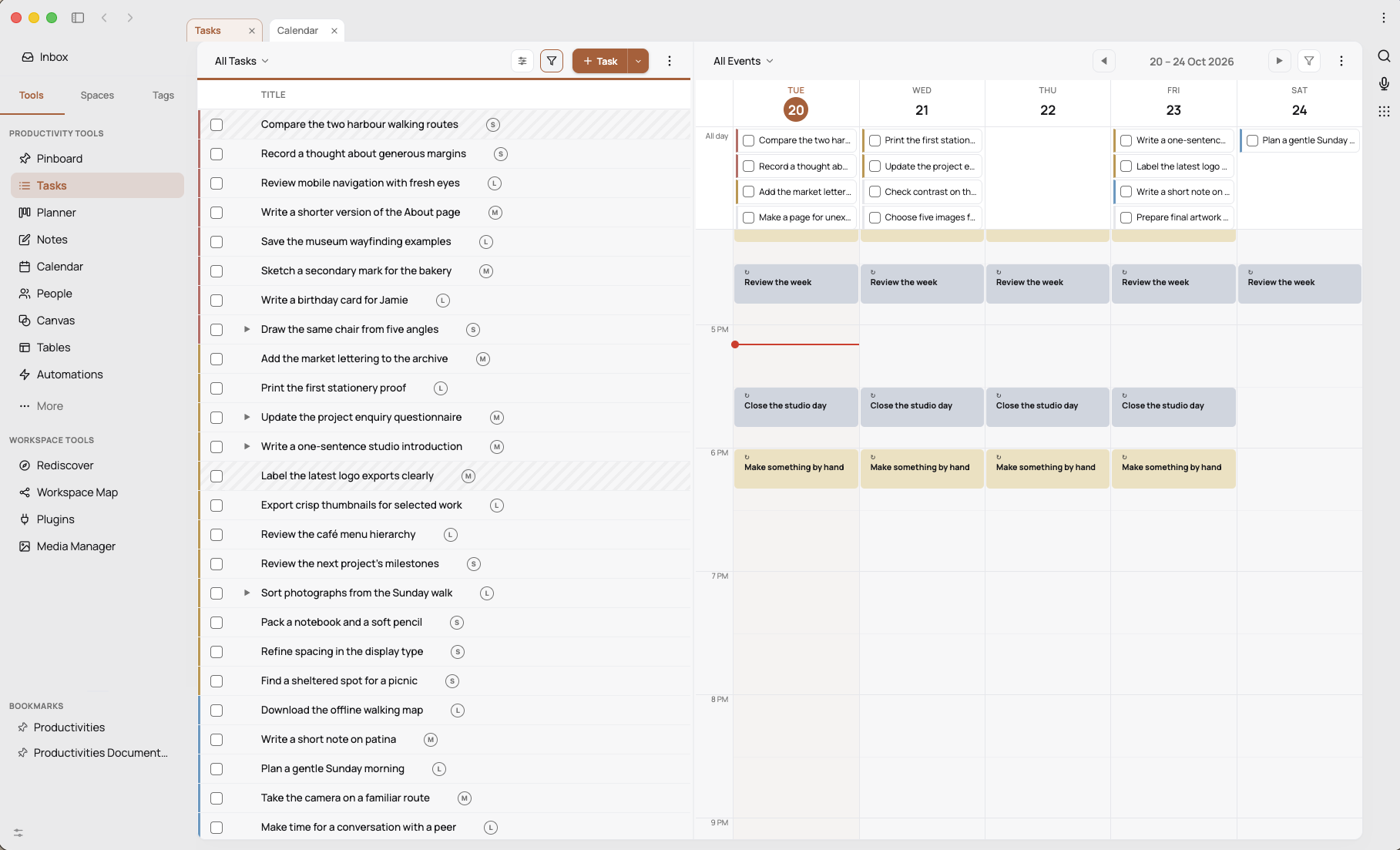
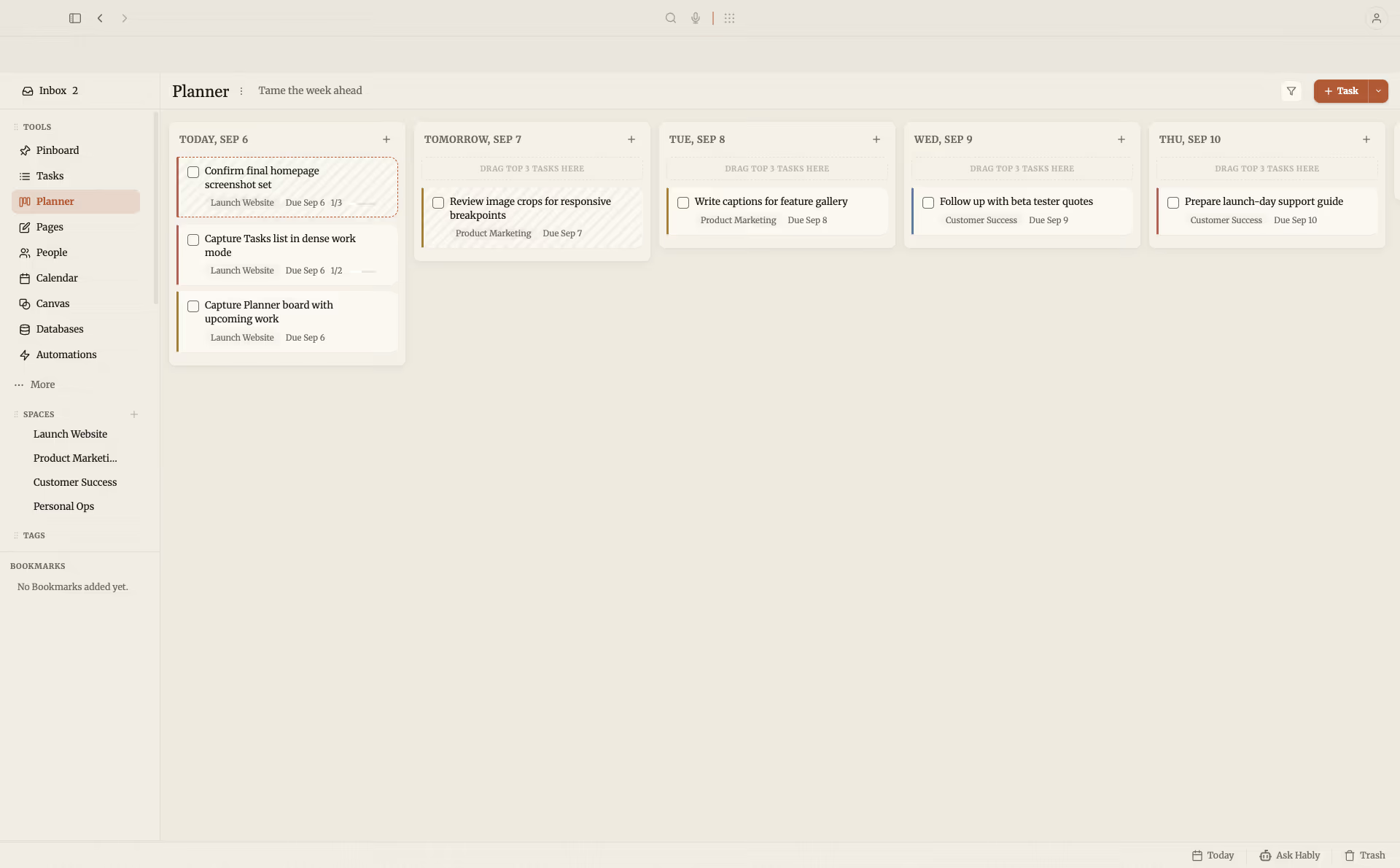
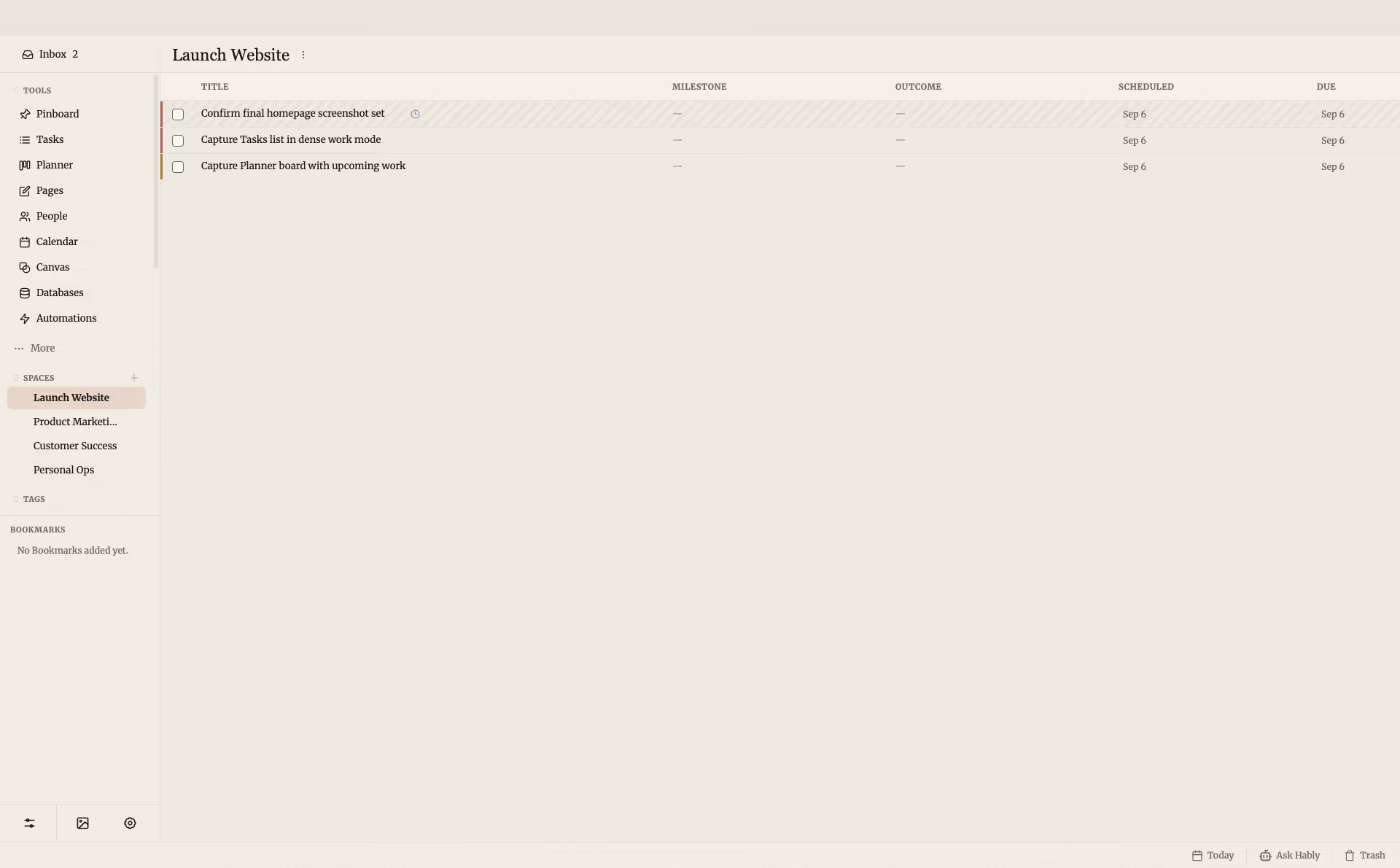
- Tasks, sub-tasks, task dependencies, priorities, due dates, scheduling data, and time-tracking entries
- Spaces and their artefacts, including Outcomes, Milestones, and Routines
- Routines (habits) and routine completion logs
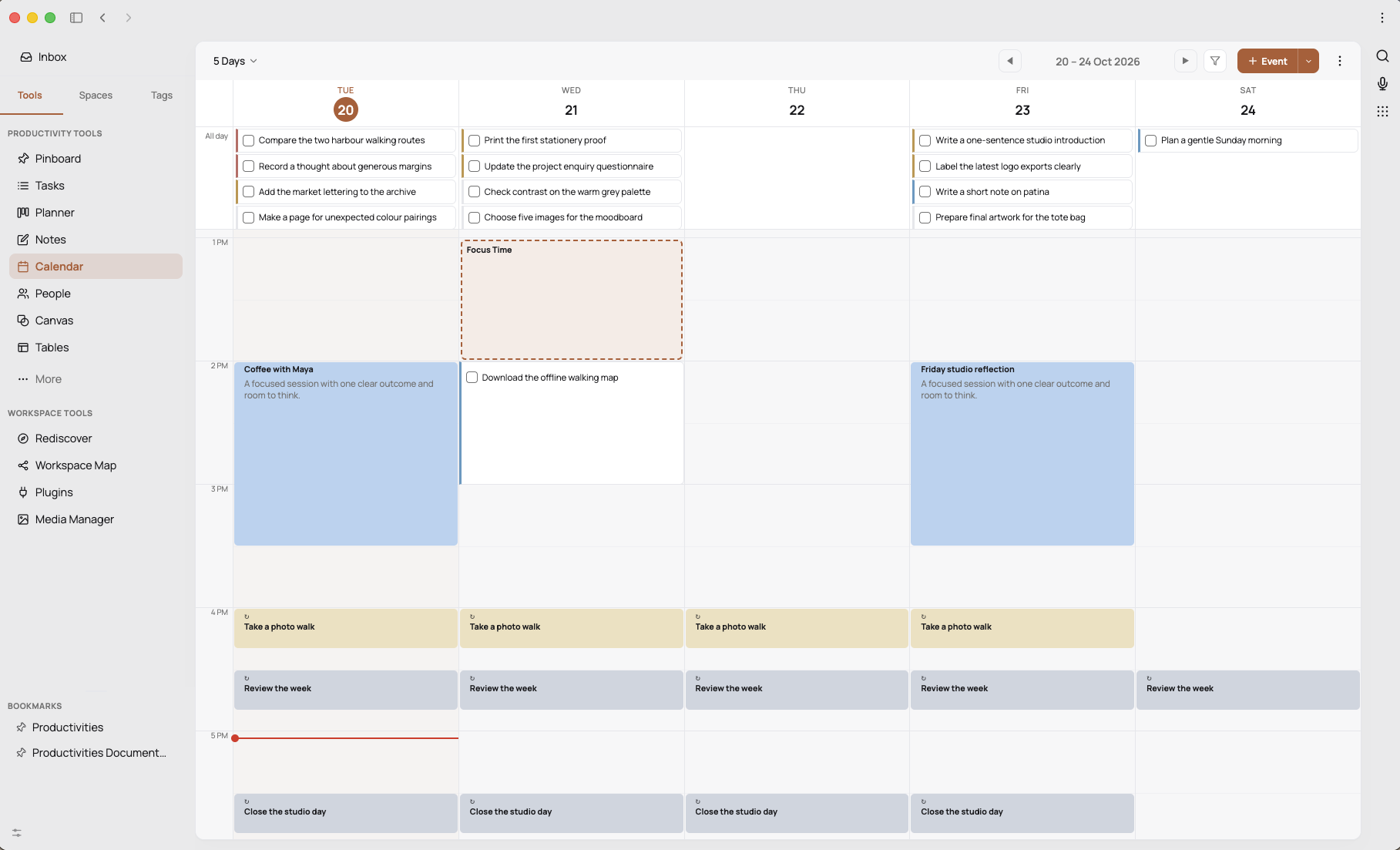
- Calendar events you create in-app
- Deep work sessions and timer logs
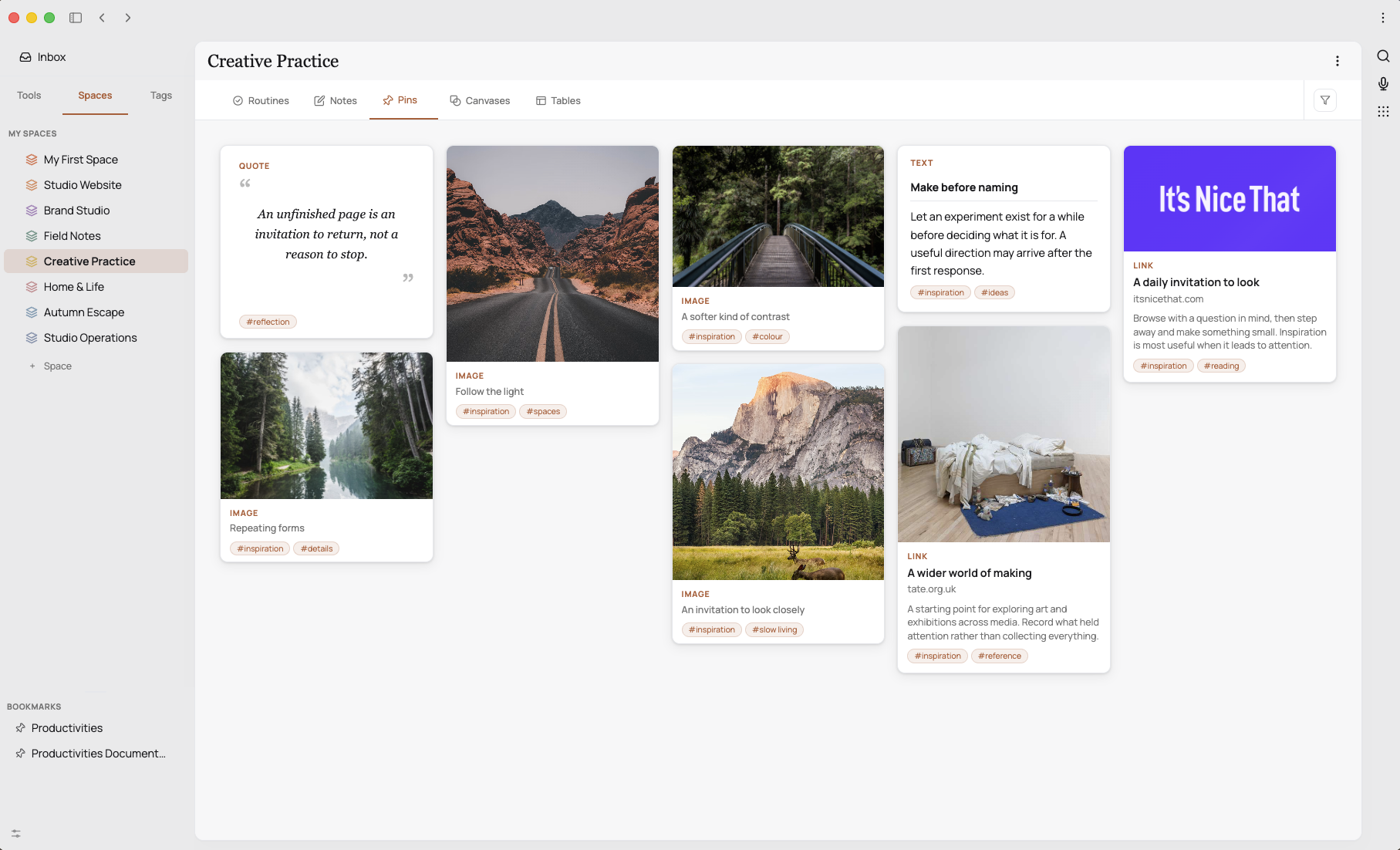
- Pins (bookmarked URLs and their previews) and pin comments
- Highlights — saved passages of text you mark within notes or other content, together with their source reference and optional "loved" flag
- Canvas elements (nodes, edges, labels) used for visual brainstorming
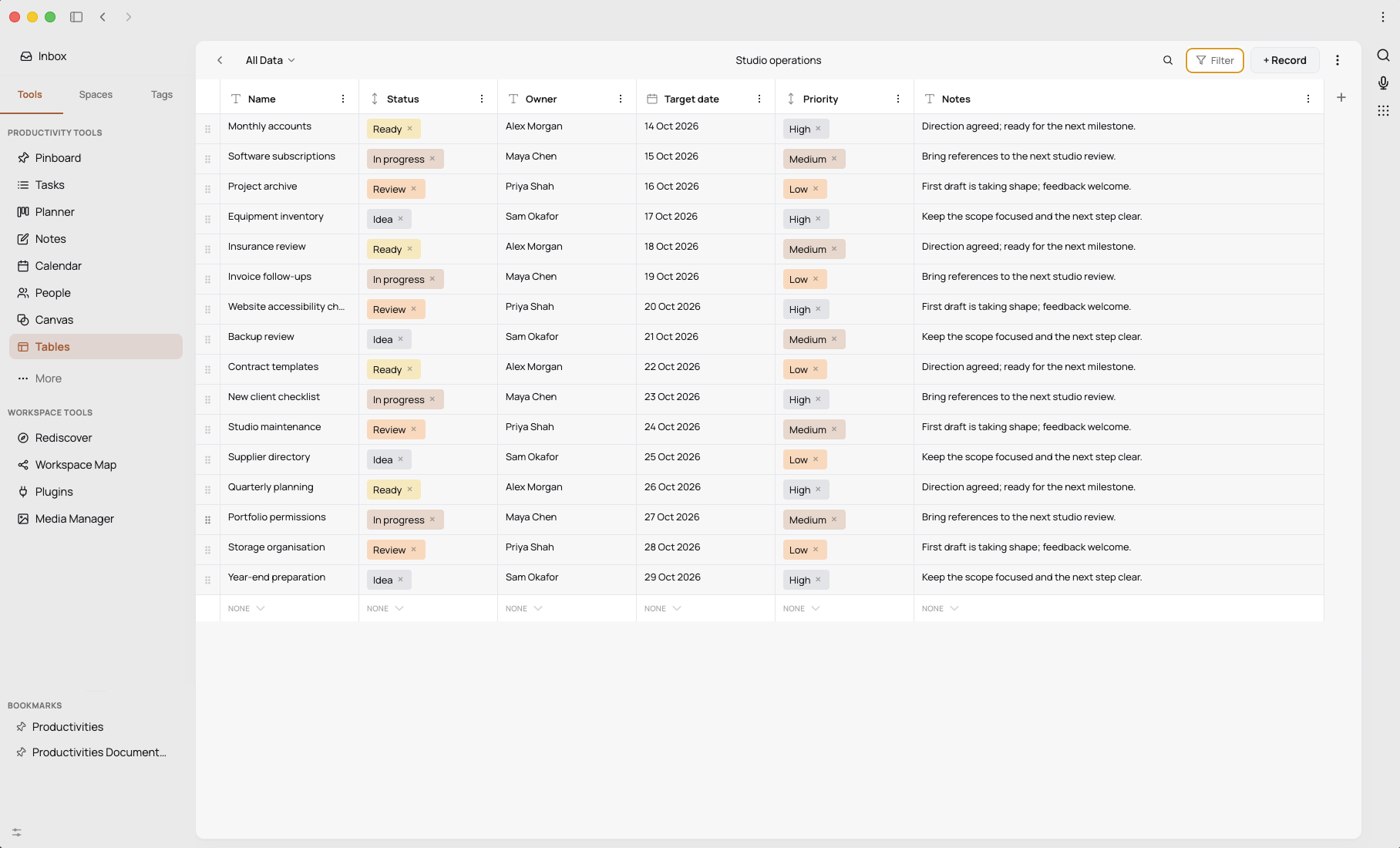
- Custom databases (user-defined structures with tables and views)
- AI chat conversation context and long-term AI memory checkpoints (if AI is enabled)
- Application settings and preferences for your individual account (theme, font, feature toggles, default views, integration credentials, and similar personal choices)
- Administrative settings created or maintained by an administrator and applying to the installation as a whole — for example, user accounts and their roles, per-user feature permissions (ACLs), user groups and group memberships, custom task statuses and other server-wide task-type configuration, backup folder location and retention policy, recorded tier / entitlement information, and audit-log visibility. In a single-user installation you are your own administrator; in a multi-user installation these settings are managed by the designated administrator(s) and apply to every user of that installation
- Workspace event records for supported Task and Space changes, including event and object identifiers, actor, source and correlation information, bounded change metadata, and timestamps. These records support Activity, Automations, and authorised incremental consumers; they are not complete copies of the affected objects
3.3 Content Stored on Your Filesystem (outside the database)
Where you configure the App to use file-based features, content is written as plain files in folders you choose:
- Notes — Markdown (
.md) files with optional YAML frontmatter, stored in the folder you specify in Settings → Notes
- Daily Notes — Markdown files in the format
DD-Mon-YYYY.md (e.g. 01-Jan-2026.md), stored in the folder you specify (these are referred to as "journal" in some internal storage paths and setting names)
- Images, PDFs, videos, and audio — stored in the media folders you configure
These files are ordinary files under your control. The App does not back them up or transmit them anywhere of its own accord. However, if you nominate a folder that is a Git repository, you can additionally enable the App's optional Git integration. When enabled, the App can:
- commit changes locally to the repository in that folder; and
- if you configure a remote (for example, a GitHub, GitLab, Gitea, or self-hosted Git URL), push commits to and pull commits from that remote on your instruction.
The remote URL is configured by you, in the App, via Settings → Notes → Git. Authentication to the remote is handled by your system's standard Git mechanisms (credential helpers, SSH keys, personal access tokens, etc.); the App itself does not store Git credentials. If you enable a remote and push to it, the contents of your Notes (and any Daily Notes or other Markdown files in the same repository) are transmitted to that remote host, and that host's terms and privacy policy apply. You can remove the remote, or disable Git integration entirely, at any time.
3.4 Operational and Security Data
- Application configuration: window position, preferred port, and similar non-sensitive preferences, stored in
config.json in your application-data directory
- Session secret: a 64-byte random value stored with restrictive file permissions (0o600), used to sign your login session cookie
- Encryption key: a 256-bit random key used to encrypt sensitive credentials at rest. On macOS and Windows (and on Linux when a keyring daemon is available), the key is sealed with your operating system's secure keystore via Electron
safeStorage (macOS Keychain, Windows DPAPI, or Linux libsecret); the sealed form is stored as a small file in your application-data directory with owner-only file permissions (mode 0600). On systems where a keystore is not available, the key is stored directly in that same file with the same file permissions
- Session cookie: a single
connect.sid cookie, set as HttpOnly and SameSite=Lax, with a default lifetime of 30 days; expires when you sign out
- Login audit log: each sign-in attempt is recorded locally with username, originating IP address, success/failure flag, reason for failure (e.g. invalid credentials, rate-limited), user-agent string, and timestamp. In multi-user deployments, administrators can view this log; in a single-user installation it stays on your device and is not visible to anyone else
- Application log: the App writes a log file (
productivities.log) in the application-data directory. This file records operational messages, warnings, crashes, and error stack traces — in other words, it serves the role that a crash-reporting service would serve in other apps, except that it stays on your device. Nothing in this file is uploaded to Hably Software Ltd or to any third party; there is no background process that transmits errors anywhere. You can open, inspect, or delete the file at any time
- MCP credentials (optional): when you authorise an MCP-compatible client in Settings → Integrations → MCP Server, its bearer token is shown once and stored only as a one-way bcrypt hash. The local database also stores the credential's name, non-secret prefix, selected feature allowlist, write and Automation-management permissions, creation and last-use times, optional expiry, and revocation time. You can revoke a credential at any time. Legacy unrestricted Productivities API keys created in an earlier release may remain visible and revocable during migration, but new unrestricted keys are no longer issued
- Workspace tool invocation audit: authorised workspace agent and MCP tool calls create local audit records containing the workspace and user, channel, credential identifier where applicable, tool name, risk class, request identifier, success or failure, error code, duration, and timestamp. Full arguments, full results, secrets, and raw Note, comment, or memory content are not included
3.5 Sensitive Credentials You Provide
If you choose to connect the App to a third-party service, you provide credentials to that service. The following credentials are stored encrypted at rest using AES-256-GCM:
- xAI (Grok) API key
- OpenAI API key
- Google Gemini API key
- Atlassian (Jira) API token
- Google OAuth access and refresh tokens
The encryption key is a 256-bit random value generated when the App first runs. On macOS and Windows, and on Linux systems that provide a keyring daemon, the key is sealed with your operating system's secure keystore — the macOS Keychain, Windows DPAPI, or Linux libsecret (gnome-keyring / wallet) — via Electron's safeStorage API; only the sealed (wrapped) form is written to disk, in a file in your application-data directory with owner-only file permissions (mode 0600). The unwrapped key never touches the filesystem. This means an attacker who obtains a copy of the database and the wrapped key file (for example via a copied user-data folder, an unencrypted disk image, or a filesystem snapshot taken without the keystore) still cannot read the encrypted credentials, because unwrapping the key requires the original macOS user session, the original Windows user/machine pair, or the original Linux libsecret-protected secret. If you copy your application-data folder to a different machine or restore from a backup on a new operating-system install, the wrapped key will not unseal there: the App detects this on next launch, leaves the encrypted credentials in place (untouched), and surfaces a prompt asking you to reconnect Google, Atlassian, and your AI provider keys. Your tasks, notes, and other non-credential data are unaffected.
On systems where a keystore is not available (most commonly: Linux without a running keyring daemon, or running the server in a headless multi-user / self-hosted PostgreSQL configuration under a service account), the key is stored directly in the same file with owner-only file permissions. In that configuration the at-rest protection is equivalent to "the database file alone is not enough to read your credentials"; we still recommend enabling full-disk encryption (such as macOS FileVault, BitLocker, or LUKS) on the device running the App.
The notes lock-password (an optional feature that password-protects access to your notes) is stored only as a bcrypt hash.
3.6 The Productivities iOS Mobile Companion App
The iOS app is a thin companion to your Productivities server. Everything below describes data the iOS app handles on your phone, in addition to the data flows already described above. The iOS app does not talk to Hably Software Ltd; it talks only to the Productivities server you point it at (your desktop App on the same network, or a self-hosted server you operate).
Operating-system permissions requested. The iOS app requests only one OS-level permission: access to your device's Calendars (full access), used to display calendar events alongside your tasks. The app does not request access to your microphone, camera, photo library, contacts, location, Health data, HomeKit, biometrics, push notifications, or any other sensitive data class. You may revoke calendar access at any time from iOS Settings.
How the iOS app reaches your server. You enter the URL of your Productivities server manually on the sign-in screen (for example http://192.168.1.20:3456 for a local-network desktop, or https://your.tunnel.example for a reverse-proxied / tunnelled server). The app does not use Bonjour / mDNS discovery, QR-code pairing, or any other automatic mechanism, and it does not maintain a directory of servers. Plain HTTP is permitted only for local-network destinations (iOS App Transport Security is configured with NSAllowsLocalNetworking, with all other URLs required to use HTTPS); for any non-local-network destination, you must front your server with TLS. The mobile app signs in to your server using your username and password, in the same way the desktop interface does, and the server then issues a session cookie that authenticates subsequent requests from that device. Mobile access additionally requires that mobile is enabled on a Pro-tier installation and that mobile access is permitted for your user account.
Authentication and credential storage on the phone. You sign in with your Productivities username and password. The server returns a session cookie which is held in iOS's standard HTTPCookieStorage. So that the iOS Share Extension (described below) can authenticate as you, the cookie and your server URL are also persisted into a shared App Group UserDefaults container. App Group UserDefaults is sandboxed to the Productivities app and its Share Extension and is not readable by other apps, but it is included in iCloud and iTunes/Finder device backups unless those backups are encrypted; we therefore recommend enabling the Encrypt iPhone Backup option in Finder and using an iCloud backup if you back up your device. The iOS app does not store your password; if your session expires, you sign in again.
Local cache of your content on the phone. To support offline use and quick launches, the iOS app maintains a local cache in the app's sandbox containing snapshots of your tasks, notes, pinned items, spaces, app settings, and similar content fetched from your server, together with a queue of pending offline changes that the app will replay to your server when next connected. This cache is stored as plain JSON in the app's sandbox; image previews are cached separately. The cache is not encrypted by the App. iOS itself protects the sandbox while your phone is locked (via the standard Data Protection class), and the contents are inaccessible to other apps. You can clear the cache by signing out of the app, or remove it entirely by deleting the app from your device.
Share Extension. The iOS app installs a Share Extension that lets you send a URL, snippet of text, or image from another app into Productivities. When you use it, the selected content is uploaded over the same authenticated connection to your Productivities server; large images are downscaled and recompressed locally before upload. The Share Extension does not transmit anything anywhere other than to your server.
Background refresh. The app uses iOS Background App Refresh (BGAppRefreshTask) to flush pending offline changes when iOS judges it a good moment to do so. This is a local, OS-scheduled mechanism — it does not involve push notifications and nothing about the schedule is sent off-device.
What the iOS app does not do. The iOS app does not include any third-party analytics, crash-reporting, advertising, or attribution SDK; it does not request or use the iOS advertising identifier (IDFA), does not present an App Tracking Transparency prompt, and does not register for Apple Push Notification service (APNS) or any other push provider.
4. Where Your Data Is Stored
By default, all data described in section 3 is stored on your own device, in the following locations on macOS:
- Application database:
~/Library/Application Support/Productivities/productivities.db
- Encryption key:
~/Library/Application Support/Productivities/.encryption-key
- Session secret:
~/Library/Application Support/Productivities/.session-secret
- Application logs:
~/Library/Application Support/Productivities/productivities.log
- AI memory checkpoints:
~/Library/Application Support/Productivities/memory/
- Cached focus-music audio:
~/Library/Application Support/Productivities/focus-music/
- Notes, Daily Notes, and other media folders: at the paths you nominate in Settings
On the iOS mobile companion app, data is held inside the app's standard iOS sandbox: the offline cache of your tasks/notes/pins/spaces/settings and the pending-mutation queue are written as JSON files inside the app's Application Support directory; cached images are written inside Caches; the session cookie and your server URL are written into the shared App Group UserDefaults container (group.app.hably.flow.ios) so that the Share Extension can authenticate. Removing the app from your device removes all of the above.
If you deploy the App as a self-hosted multi-user server (an advanced configuration), the database may be PostgreSQL on the server you operate. In that case Hably Software Ltd has no involvement: you are the data controller for the deployment, and you are responsible for its security, backups, and lawful operation.
The text-to-speech database and any hosted plugins you download are also stored locally on your device. They are not synchronised back to Hably Software Ltd and do not contain your content.
5. Network Connections and Optional Integrations
5.1 Hably-Hosted Resource Downloads
The App connects to servers controlled by Hably Software Ltd to download two types of resource:
- Text-to-speech database files used by the App's offline text-to-speech functionality; and
- Hosted plugins that you choose to install for use within the App.
These connections download resources to your device. The downloaded resources remain local and are not synchronised back to Hably Software Ltd. The App does not include any account data, credentials, user-created content, database contents, notes, tasks, Pins, Highlights, files, or text submitted for speech in these requests.
Like any internet download, a request necessarily gives the receiving server limited technical connection information. This includes the requesting IP address, the date and time, the specific resource requested, and any standard HTTP request headers sent by the App. This information may be processed in standard server logs for security, abuse prevention, troubleshooting, and reliable delivery. It is not accompanied by the contents of your App or files.
The App is functional and feature-rich without enabling an integration or authorising an external client. The connections described below are optional and disabled by default. Some require credentials for the destination service; others use a scoped credential generated by Productivities. When you enable an integration or authorise an externally operated client, you are directing the App to make data available to its operator. That operator's privacy policy applies in addition to this one.
5.2 AI Providers
If you enable the AI assistant, your chat messages, conversation history, system instructions, and any files you attach (images, PDFs, text) are sent to the AI provider you select. Supported providers are:
| Provider |
Endpoint |
What is sent |
| Ollama (local) |
http://localhost:11434 by default (configurable) |
Stays on your device; no external transmission |
| xAI (Grok) |
https://api.x.ai/v1 |
Conversation history, chosen model, attachments, tool-use signals (e.g. web search) |
| OpenAI |
https://api.openai.com/v1 |
Conversation history, chosen model, attachments |
| Google Gemini |
https://generativelanguage.googleapis.com/v1beta/openai |
Conversation history, chosen model, attachments |
Attachments may be up to 20 MB per file. Supported types are JPEG, PNG, WebP, PDF, plain text, Markdown, and CSV. Attachments are held only in memory by the App and are not retained on disk after the request completes.
If you grant the AI assistant tool access (a Pro-tier feature), the assistant can additionally read and write content within the App on your behalf — for example, creating Tasks, reading Notes, updating settings, or recording Routine completion. When this happens, the contents of those operations are sent to the AI provider as part of the conversation context.
5.3 Google Calendar
If you connect a Google account, the Productivities desktop app initiates a standard OAuth 2.0 flow with PKCE and connects directly from your desktop to Google's APIs. The Google integration does not route OAuth tokens, Google Calendar List data, Google Calendar event data, or Google API requests or responses through any server, proxy, relay, or synchronisation service operated by Hably Software Ltd. The scopes requested are:
https://www.googleapis.com/auth/calendar.events — read and write access to events in your Google Calendarshttps://www.googleapis.com/auth/calendar.calendarlist.readonly — read-only access to your Google Calendar Listopenid, email — to identify the connected account
Google Calendar data we access and why: Productivities accesses your Google Calendar List data so that it can show your available calendars and allow you to choose which calendar to view or use. It accesses your Google Calendar event data so that it can display events in Productivities and create an event in the Google calendar you select when you ask it to do so. The current integration does not update or delete existing Google Calendar events.
Purpose limitation: We only use Google Calendar List data and Google Calendar event data to provide the user-facing Google Calendar features that you choose to use in Productivities, including displaying calendars and events, creating requested events, providing notifications, linking a meeting note, or answering a Calendar request you authorise through the optional AI assistant. We do not use this data for any other purpose.
No sale, advertising, or marketing: We do not sell, rent, or trade your Google user data to third parties. We do not use Google Calendar List data or Google Calendar event data to serve advertisements, build advertising profiles, or for any marketing purpose. We do not share this data with advertisers, data brokers, or unrelated third parties. Data is disclosed only as needed to provide a feature you explicitly enable, as detailed below.
Retention and deletion: Google Calendar data is processed securely by the Productivities desktop app on your device; it is not sent to or stored on Hably Software Ltd's servers. Event data is not retained as a durable local copy, and Calendar List data is cached only as described below. Stored Google credentials remain until you disconnect your Google account. You can disconnect Google and remove the associated credentials at any time through Settings → Outbound Connections → Google → Disconnect. You can delete related preferences, meeting notes, meeting-note links, and retained backups as described below. For help with deletion, or to make a data-protection request concerning any data held by Hably Software Ltd, email [email protected].
The Calendar part of this integration works as follows:
- What Productivities reads: the identifiers, names, colours, and primary-calendar status of your visible Google calendars; and, for the date or date range being displayed or requested, each non-cancelled event's Google event and calendar identifiers, title, start and end date or time, all-day status, location, description, and attendee and organiser names, email addresses, response statuses, and organiser status. Recurring events are expanded by Google into the individual occurrences that fall within the requested range. Productivities also reads the email address of the connected Google account.
- What Productivities writes: when you choose a Google calendar while creating an event in Productivities, the App sends Google the selected calendar identifier and the new event's title, date, all-day status or start and end times and time zone, and any notes you enter as the event description. The current integration creates events; it does not currently update or delete existing Google Calendar events.
- Whether Calendar data is copied into Productivities: Productivities fetches calendar and event data from Google as needed to display your calendar, provide notifications, refresh the calendar in the background, or answer an authorised Calendar request from the AI assistant. It does not import or synchronise a durable local mirror of your Google events. Event data is normally held only in the running Productivities instance's memory while the request and display are being handled. The visible calendar list (calendar identifier, name, colour, and primary status) is cached in memory and reused for up to 10 minutes before Productivities fetches a fresh list. If you create a meeting note from a Google event, Productivities deliberately stores a link containing the Google event identifier, event source, event date, event title, and the path of the Productivities note; the note itself is a user-created local file.
- Where the data is processed and stored: Google Calendar API requests are sent directly from the Productivities desktop app to Google, and Google's responses are returned directly to the desktop app and displayed in its local interface. No Hably Software Ltd-operated server sits in that network path. If you connect the iOS companion, the requested display data may also be sent directly from that Productivities desktop installation to the companion as described in Section 3.6; Hably Software Ltd does not relay that connection. Google OAuth access and refresh tokens, token expiry, connected-account email address, integration settings, calendar display preferences, and any meeting-note link records are stored in the desktop installation's local SQLite database; tokens are encrypted as described in Section 3.5. No Google Calendar content, token, API request or response, or synchronised event database is sent through or stored in a Productivities cloud service operated by Hably Software Ltd.
- How long it is retained: fetched event data is not durably retained by the integration after it has been used to answer the request or render the view. Calendar-list metadata is treated as fresh for 10 minutes; the in-memory entry may remain until it is replaced by a later fetch or the Productivities process stops. Stored Google credentials and connected-account details remain until you disconnect Google. Calendar display preferences, user-created meeting notes, and meeting-note link records remain until you change or delete them. As explained in Section 9, database backups may contain the stored records that existed when the backup was made and remain until that backup is removed under your configured backup-retention setting.
- Whether it is shared: Google Calendar data is exchanged directly between Google and the Productivities desktop app. Hably Software Ltd does not receive or relay it, and Productivities does not sell it or share it with advertisers, data brokers, or unrelated third parties. It may be visible to people or devices that you authorise to access your Productivities installation, and it may be sent directly from your installation to your chosen AI provider only in the circumstances described below.
- AI and workspace agent access: Calendar data is never exposed to Hably Software Ltd by the Calendar integration. It is not automatically sent to an AI service merely because Google Calendar is connected. If you separately enable the AI assistant, grant it tool access, and the assistant uses a Calendar read tool, the relevant Google calendar names and event fields returned by that tool become part of the conversation context sent to the AI provider you selected in Section 5.2. With a locally hosted provider such as Ollama this remains on the machine or endpoint you configured; with xAI, OpenAI, or Google Gemini it is transmitted to that provider under its terms. The AI Calendar tools do not currently alter or delete Google Calendar events.
- Disconnecting and deletion: choose Settings → Outbound Connections → Google → Disconnect. Productivities makes a best-effort request to revoke the Google token, then removes the access token, refresh token, token-expiry value, connected email address, and Google Calendar enabled setting from the live Productivities database. You can also remove Productivities access from your Google Account's third-party connections page. Events that Productivities previously created are stored by Google and are not deleted when you disconnect; delete those events in Google Calendar if you no longer want them. Because Productivities does not keep a local event mirror, there is no imported event database to erase. Disconnecting does not delete your calendar display preferences, meeting notes, or meeting-note link records: unlink or delete those meeting notes in Productivities, change or erase the relevant settings, and delete any retained database backups if you want those remaining local records removed immediately.
Productivities' use and transfer of information received from Google APIs adheres to the Google API Services User Data Policy, including its Limited Use requirements. Google's own privacy policy applies to the data Google processes.
5.4 Atlassian (Jira)
If you supply your Atlassian email and API token, the App can fetch the live status of Jira issues you reference. The token is stored encrypted. Requests are made directly from your device to your Atlassian instance using HTTP Basic Authentication, and may retrieve summaries, statuses, assignees, priorities, descriptions, labels, and comments for issues you reference.
5.5 Apple Calendars and Reminders (macOS only)
On macOS, the App can read from and write to the system Calendar and Reminders databases via Apple's EventKit framework, mediated by a bundled native command-line helper. This requires you to grant Calendar and Reminders permission to the App through macOS's standard consent prompts. This data exchange is between the App and your own Mac; no data is transmitted off the device by this feature.
5.6 iCal Feed Subscriptions
If you add an iCal feed URL to the calendar, the App will fetch that URL directly from your device in order to display its events. The URL itself is stored in your local settings.
5.7 Web Previews for Pins
When you save a pin (a bookmarked URL), the App fetches the URL from your device to extract a preview (title, description, image, and parsed article text). The remote site will see this request as originating from your device. If you enable the optional vision feature for pins, an associated image may additionally be sent to the AI provider you have configured for analysis.
5.8 Payments and Licence Issuance
The desktop App is distributed directly by Hably Software Ltd and is not offered through Apple's Mac App Store. Paid licences are purchased directly from Hably Software Ltd using Stripe-hosted payment services. Hably Software Ltd does not receive or store your full payment-card details. Stripe processes payment, billing, tax, and refund information under its own privacy policy. Hably Software Ltd receives and processes the customer, transaction, and billing information needed to complete the purchase, issue and support your licence, meet accounting and legal obligations, prevent fraud, and handle refunds. Stripe's Privacy Policy applies to Stripe's processing.
After Stripe confirms a successful purchase, the App connects to a Hably Software Ltd-controlled licence server so that a licence can be issued. The server processes the purchase and licence information needed to issue the correct entitlement, together with standard connection information such as the requesting IP address, date and time, and HTTP request headers. The resulting entitlement is stored locally by the App. This is a one-time licence-issuance process: the App does not contact the licence server on every launch for recurring validation, launch counting, or usage reporting.
5.9 Microphone and Speech Recognition
If you use voice dictation in the AI chat, the App requests microphone permission. Speech recognition is performed on-device using Apple's local speech recognition framework; audio is not sent to any cloud speech service. The resulting transcript is then sent to the AI provider you have configured, in the same way as any other message you type.
5.10 External Clients and MCP
Productivities can expose permission-scoped workspace tools to compatible external clients through the Model Context Protocol (MCP). MCP is disabled by default and must be enabled for the installation and the individual user. You must then create a credential and choose the Productivities features it may access. Read access is always present for those selected features; ordinary write access and Automation-management access are separate choices. The App continues to enforce the user's current plan, feature access, workspace permissions, object visibility, and Private Space protections.
An authorised client may receive the content returned by the tools it calls and may make changes on your behalf when its credential has the relevant write permission. A credential with Activity access can also read bounded Task and Space change events. A live event notification contains only the workspace Resource identifier; the client must separately request event records, which contain stable public object references and bounded change metadata rather than complete object snapshots, internal actor identifiers, database identifiers, credentials, or private audit data.
The connection is directly between the Productivities installation you control and the client you choose. Hably Software Ltd does not relay, receive, or store MCP traffic. A client may run locally or may be operated remotely through infrastructure you configure. If another person or organisation operates that client, it may receive and process the data you authorise under its own terms and privacy policy and, depending on where it operates, that may involve an international transfer. For non-loopback access, Productivities requires HTTPS or a correctly configured trusted reverse proxy; you remain responsible for the client, network path, and credentials you choose.
You can stop future MCP access by revoking the credential, disabling MCP for the user, or disabling it for the installation. Revocation does not remove data that a client has already received; contact the client operator or use its controls for that copy. Productivities stores no delivery checkpoint for an external MCP consumer. The client stores its own last-processed event cursor.
6. Data We Do Not Collect
We want to be specific about what we have deliberately chosen not to do:
- We do not operate analytics, product telemetry, A/B testing, behavioural tracking, or session recording
- We do not upload crashes, errors, or stack traces anywhere. The App writes a log file on your device that records crashes and errors (so you can inspect them if something goes wrong), but no service such as Sentry, Bugsnag, or equivalent receives any of it
- We do not embed advertising networks, advertising SDKs, or advertising identifiers
- We do not embed tracking pixels, third-party cookies, or fingerprinting libraries
- We do not sell, rent, or share your personal data with data brokers
- After the one-time licence issuance described in Section 5.8, we do not check in with a Hably Software Ltd-operated licence server on every launch, count your launches, or report your usage
- We do not operate a sync, relay, or push-notification service between your desktop and mobile devices — they communicate directly with each other
- We do not read the contents of your filesystem outside the folders you have explicitly nominated
7. Security
We implement the following technical measures:
- Passwords are stored only as bcrypt hashes (cost factor 10). The plaintext password is never persisted
- Sensitive third-party credentials (AI API keys, Atlassian token, Google OAuth tokens) are encrypted at rest using AES-256-GCM with a 256-bit key generated on first run. On macOS, Windows, and Linux systems with a keyring daemon, the key itself is sealed by the OS secure keystore (macOS Keychain, Windows DPAPI, or Linux libsecret) via Electron
safeStorage, so the wrapped key file alone cannot be opened without the original OS user session. On other systems the key is stored with owner-only file permissions (mode 0600)
- Session cookies are HttpOnly, SameSite=Lax, and
Secure when served over HTTPS
- Login rate limiting is applied per IP address (a maximum of 5 failed attempts in a 15-minute window) to mitigate brute-force attacks
- Login audit trail records every sign-in attempt and the reason for any failure
- Security headers are set by Helmet, including a Content Security Policy, Strict-Transport-Security (1 year, includeSubDomains), and a strict referrer policy
- HTML sanitisation is performed with DOMPurify on rendered user content to mitigate cross-site scripting
- Loopback-only network binding by default: out of the box, the desktop App's internal server listens only on the loopback interface (
127.0.0.1) and is not reachable from any other device. The server only begins listening on the local network when an administrator explicitly enables network (LAN) access in the App's settings on a Pro-tier installation, and reverts to loopback-only when that setting is turned off. Self-hosted operators who run the App in a server context (for example, in Docker or behind their own reverse proxy) can override the bind address via the HABLY_BIND_HOST environment variable to suit their deployment topology
- Scoped MCP access: MCP is disabled by default, bearer secrets are stored only as bcrypt hashes, credentials can expire or be revoked, feature and write permissions are checked on each request, and live event access is reauthorised before a notification is sent. Browser-origin requests are rejected, and non-loopback MCP access requires trusted HTTPS
You should be aware of the following limitations:
- The application database itself is not encrypted at rest by default — only the sensitive credential fields within it are. Disk-level encryption (e.g. FileVault on macOS) is the recommended way to protect the database file
- The App does not currently offer two-factor authentication
- Application logs may contain operational error messages; we recommend not sharing these logs publicly without review
No security measure is perfect. You are responsible for securing the device on which the App runs.
8. Multi-User and Shared Deployments
The App can be operated as a multi-user installation (an advanced "Pro" or "Business" deployment). In this mode:
- Administrators can create, edit, and delete user accounts and grant or revoke per-feature permissions
- Users can belong to user groups, and content placed in a "shared" space, or notes stored in a shared notes folder, may be visible to other members of the same group
- Tasks may be assigned to other users in the same installation
- Administrators can view the login audit log for the installation and configure scheduled database backups
In a multi-user deployment, the person or organisation operating the installation is the data controller. Hably Software Ltd is not involved in that deployment and does not have access to it.
9. Backups
The App supports configurable automated backups to a folder you nominate. Backups are full copies of the SQLite database, written with timestamped filenames, retained according to a configurable retention policy (default: 7 most recent copies). Backups are not transmitted anywhere. You are responsible for the security and storage of your backup folder.
10. Children
Productivities is a general-purpose productivity tool intended for adults. It is not directed at children under the age of 13 (or under 16 in jurisdictions where that is the applicable threshold), and we do not knowingly process personal data of children. If you believe a child has used the App in a way that requires your attention as a parent or guardian, you have full control over the data on the device; please use the deletion options described below.
11. Your Rights
Because the App stores your data locally on a device you control, you exercise most data-protection rights directly through the App, without needing to ask us:
| Right |
How to exercise it |
| Access |
All your data is in the App's interface, the SQLite database file, and the file folders you nominated. You can open or copy them at any time |
| Rectification |
Edit any record directly in the App |
| Erasure |
Use Settings → Erase All Data to delete its supported content categories, including tasks, sub-tasks, Routines and completion logs, Spaces and their artefacts, kanban columns, and time entries. It is not a complete database wipe: Notes and other filesystem-stored content, login audit entries, workspace event records, MCP credential history, and workspace tool invocation audit records may remain. An administrator can delete an entire user account, which cascades to substantially all of that user's content in the database |
| Restriction / Objection |
Disable any feature in Settings. Disconnect any integration or revoke an external-client credential in Settings → Integrations |
| Portability |
Notes and Daily Notes are already in a portable format (Markdown). Database content can be exported by copying the SQLite database file or by an administrator generating a backup |
| Withdraw consent |
Disable the relevant integration; revoke the Productivities credential for an external client; and, where applicable, revoke the relevant credential at the provider (e.g. revoke an OpenAI API key in your OpenAI account) |
We note the following honest limitations of the current implementation:
- Erase All does not currently remove Notes or Daily Notes files from your filesystem (you delete those yourself)
- Erase All does not remove the login audit log
- Erase All does not currently remove workspace event records, MCP credential history, or workspace tool invocation audit records
- There is no one-click, all-in-one export of every category of data to a single archive. We are tracking this as a planned improvement; in the meantime, contact us as described in section 16 if you would like assistance exercising your portability rights
12. Legal Bases for Processing (UK GDPR / EU GDPR)
To the extent that Hably Software Ltd is a data controller in respect of any processing (which, in the default local-only configuration, is limited), we rely on the following legal bases:
- Performance of a contract — to process your purchase, issue and support your licence, and provide the App, its features, and requested downloadable resources to you
- Legitimate interests — to operate the App, licence, and resource-download servers securely, to prevent abuse and fraud, to maintain the security audit log, and to enforce purchased entitlements
- Legal obligation — to retain and use transaction and billing records where required for tax, accounting, consumer-protection, or other legal obligations
- Consent — for any optional integration or external-client access that you actively choose to enable
13. Retention
Because your App content is stored on your device, its retention is under your control. We do not impose any retention period on content we cannot see. Specific defaults within the App:
- Session cookies: 30 days from last sign-in
- Backup files: most recent 7 by default (configurable)
- Login audit entries: retained until you delete them
- AI memory checkpoints: retained until you delete them via the AI memory interface
- Workspace Task and Space event records: retained in the installation database without automatic expiry until the relevant workspace is removed or a future retention control is applied
- MCP credential records and workspace tool invocation audit records: retained in the installation database without automatic expiry. Revoking a credential prevents future use but retains its record and associated security history
- Purchase and licence records held by Hably Software Ltd: retained for as long as reasonably necessary to administer and support the licence and to meet accounting, tax, fraud-prevention, and legal obligations
- Resource-download server logs: where recorded, retained only for the limited period reasonably necessary for security, abuse prevention, troubleshooting, and reliable delivery
- All other content: retained indefinitely until you delete it
14. International Transfers
The App does not transfer your content or files internationally through the Hably-hosted resource downloads described in Section 5.1 or the licence-issuance process described in Section 5.8. Payment information processed by Stripe, and the limited purchase, licence, and technical connection information required to complete a purchase, issue a licence, or fulfil a download, may be processed across national borders depending on your location, the service provider, and the network route. No App content or user-created files accompany these requests. Where you enable a third-party integration or authorise an externally operated client, that connection may also involve transfers — for example, AI providers, Google, and remotely hosted MCP clients may operate globally. Those transfers are governed by the respective operator's safeguards and privacy policy.
15. Changes to This Policy
We may update this Privacy Policy from time to time, for example to reflect new features or legal requirements. The "Last Updated" date at the top of this document will indicate when the most recent change was made. Material changes will be highlighted in release notes for the version of the App that introduces them.
16. Contact
For questions about this Privacy Policy or to make a data-protection request: